
Similar category, different scope #
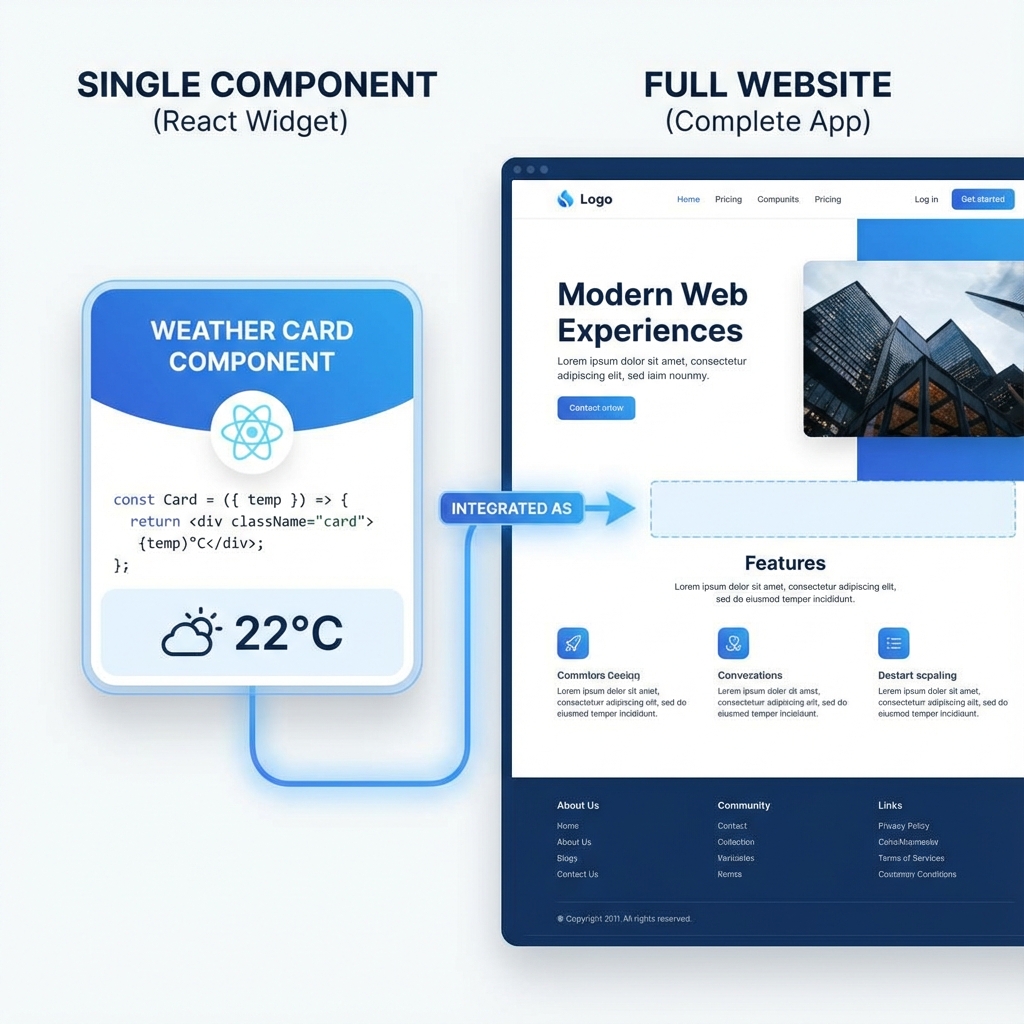
A brick and a house both involve clay. One is a component. The other is somewhere you can sleep.
v0 generates components. BYOB generates applications. The distinction matters more than it seems, because picking wrong means staring at disconnected snippets you must wire together, or sitting inside a system that cannot touch your existing stack.
This comparison maps each tool's scope, workflow, and pricing so the choice takes minutes instead of weeks.
What should you understand about each tool? #
v0: the component generator #
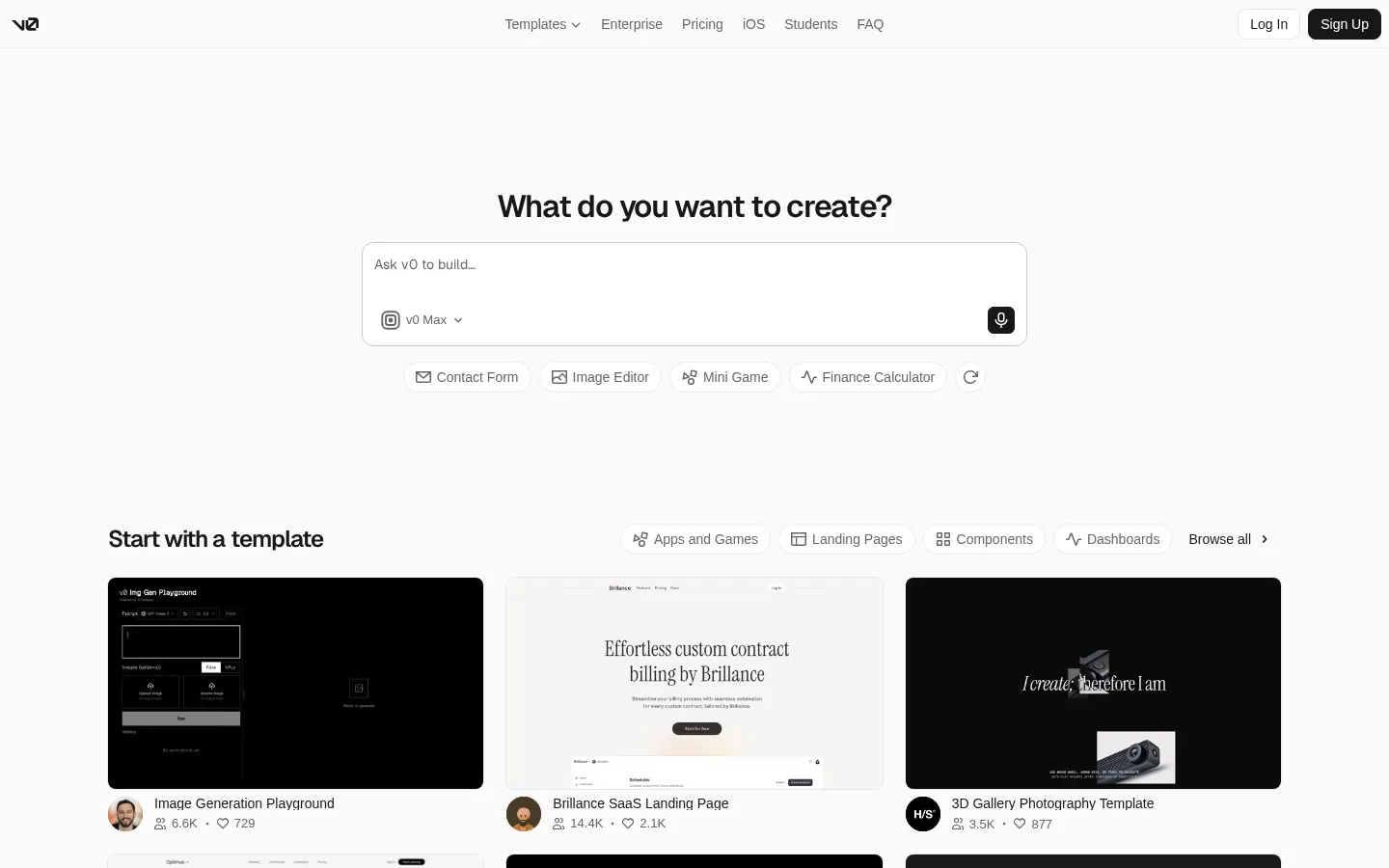
v0 by Vercel generates individual React components using Tailwind CSS and shadcn/ui. Describe a UI element, "a pricing table with three tiers and a toggle for annual billing," and v0 produces the JSX for that piece with a visual preview.
The output is a snippet with somewhere to go: your existing Next.js project. Copy the code, install the referenced dependencies, connect it to your data layer and state management. The mental model assumes a developer with a codebase, where v0 accelerates UI construction piece by piece. Shadcn components arrive styled and accessible, Tailwind classes arrive consistent, and the remaining work is integration rather than invention.
Current plans put numbers on that usage. Free includes $5 of monthly credits, Plus at $30 per user includes $30 per user, and Business at $100 per user adds training opt-out, as stated on the v0 pricing page (https://v0.app/pricing). The Premium tier at $20 is listed in the pricing docs as sunset for new users, so Plus is the live team path.
BYOB: the application builder #
BYOB generates complete applications. Describe the outcome, "a SaaS landing page with waitlist signup and demo booking," and BYOB produces the project: file structure, pages, routing, components, deployment.
No copying, no pasting, no integration step. BYOB creates the codebase and you refine it through conversation. The mental model assumes someone who wants a working product while the implementation stays handled.
BYOB starts at $0 with 100 starter credits and $1 equals 100 credits that never expire as listed on the BYOB pricing page (https://byob.studio/pricing). You can click any element in preview to edit text and style directly as described in the BYOB features guide (https://byob.studio/blog/byob-features-complete-guide). Auth is ready fast with Better Auth plus D1 and support for Google plus magic links as described in the BYOB auth guide (https://byob.studio/blog/byob-auth-better-auth-d1).
Backends use server routes plus R2 and D1 or Supabase with AI generated RLS policies as described in the BYOB storage guide (https://byob.studio/blog/byob-storage-r2) and the BYOB Supabase guide (https://byob.studio/blog/byob-supabase-integration-deep-dive). Custom CMS and portals are generated through chat as shown by https://mypitchroom.com/. Limits stay plain: preview URL pattern with no native staging, linear history without branches, and single editor lock.
SvelteKit's filesystem router underpins that completeness: directories become URL paths, route files define pages and API endpoints, layouts wrap sections, as stated in the SvelteKit routing docs (https://svelte.dev/docs/kit/routing). BYOB generates into that structure natively, which is why its output arrives coherent instead of assembled.
Try it: Tech Stack Picker
How does the workflow feel day to day? #
Using v0 #
v0's workflow is transactional. Each interaction stands alone: describe a component, receive code, place it somewhere else.
A typical session runs like this. Prompt: "Create a dashboard sidebar with navigation icons and a user profile section." Review the preview and JSX. Click copy, switch to the IDE, paste into a file, install missing shadcn pieces, connect navigation logic.
Excellent for accelerating UI inside an existing Next.js project, especially complex styled components that would take hours by hand. But each component arrives isolated. The project structure, routing, and data flow remain yours to maintain.
Using BYOB #
BYOB's workflow is continuous. Start a project, describe the goal, and everything stays connected across iterations.
A typical session runs like this. Prompt: "Create a user dashboard with sidebar navigation, analytics charts, and a settings profile page." Review the working application in preview. Iterate conversationally: "Make the charts green instead of blue." "Add a notifications dropdown." "Create an onboarding modal." Deploy to a live URL when ready.
No tool switching, no code copying. The project persists as one coherent whole with version history, rollback, and continuous refinement. The cost of that coherence is commitment to BYOB's stack and workflow.
How v0 credits work in practice #
Vercel meters v0 by tokens converted to credits rather than by message counts, as stated in the Vercel updated pricing post (https://vercel.com/blog/updated-v0-pricing). Longer prompts and larger outputs cost more. Context like chat history, source files, and Vercel-specific knowledge counts as input, so big generations with rich context are the priciest actions.
The balance mechanics from current docs: each plan carries a monthly allowance, generations draw it down, and generation pauses when credits run out. Unused monthly credits roll over one billing cycle and expire after 65 days. Purchased credits last a year and require an active paid plan to spend. Team plans add a shared credit pool spent after individual allowances exhaust, as stated in the v0 pricing docs (https://v0.app/docs/pricing).
Prompt discipline from Vercel's own guidance applies directly: be specific to cut iterations, break large builds into smaller components, and watch the usage dashboard. A vague "make me a dashboard" that iterates six times costs multiples of one precise brief. Component thinking is architecture advice and billing advice here.
Model choice moves the meter too. The pricing page lists per-token rates across model tiers from Mini through Max Fast, with output tokens priced several multiples of input. Defaulting to the strongest model for trivial tweaks burns budget for no visible gain. Match model strength to task difficulty the way you would match any expensive resource.
What are the core differences? #
State persistence #
v0 generations are ephemeral by default. Create a component, copy the code, done. Revisions mean regenerating or hand-editing. Team plans add shared chats and projects for collaboration, but the unit remains the generation, not a living codebase.
BYOB projects persist. The full application lives in the platform with version history, rollback, and conversational refinement across sessions. The unit is the project, and generations accumulate into something shippable.
Hosting and deployment #
v0 gives you code. Hosting stays your responsibility across Vercel, Netlify, AWS, or wherever the project lives. That suits teams with infrastructure opinions and existing pipelines.
BYOB includes deployment. One click produces a live URL with SSL and CDN distribution on managed infrastructure. That suits builders who want the site more than the pipeline.
Tech stack flexibility #
v0 outputs React with Tailwind and shadcn/ui. Superb inside the React ecosystem, irrelevant outside it. If the team speaks that dialect, v0 speaks it fluently back.
BYOB generates SvelteKit projects with a performance-tuned stack. Opinionated rather than agnostic, coherent rather than flexible. Clean standard code ports elsewhere with effort, but the happy path stays SvelteKit.
How do features compare? #
| Feature | BYOB | v0 |
|---|---|---|
| Starting point | Blank chat to live app with routing plus deploy | Blank prompt to component for existing Next.js codebase |
| AI depth | Full app generation plus iterative chat plus server routes for backends | Component generation with Tailwind plus shadcn patterns |
| Output and code ownership | Complete SvelteKit source you own and can export and self host | React plus Tailwind snippet you own to paste into your repo |
| Deploy and hosting | One click to live URL with SSL on managed edge, deploy cost covered by credits | No bundled deploy, you host on Vercel or elsewhere |
| Custom domains | Yes with automatic SSL | Via your host, not v0 itself |
| CMS and blog | Custom CMS and portals generated through chat, live proof at https://mypitchroom.com/ | Presentational sections to paste into your CMS backed app |
| Ecommerce | Storefront plus checkout patterns generated through chat in your app | Product cards and carts to paste into your store |
| Auth and database | Better Auth plus D1 with Google plus magic links as in https://byob.studio/blog/byob-auth-better-auth-d1, server routes plus R2 and Supabase with AI generated RLS policies as in https://byob.studio/blog/byob-storage-r2 and https://byob.studio/blog/byob-supabase-integration-deep-dive | UI only, you wire auth plus database in your codebase |
| Pricing shape | Pay per use credits, $0 start with 100 starter credits, $1 equals 100 credits that never expire as in https://byob.studio/pricing | Credits from token use, Free 5 dollars monthly, Plus 30 dollars per user, Business 100 dollars per user, with Premium 20 dollars sunset for new users |
| Free tier | $0 start with starter credits and subdomain hosting, no subscription as in https://byob.studio/pricing | $5 monthly credits plus daily messages |
| Team and sharing | Async shared projects for solo builders, single editor lock | Shared chats plus projects on team plans, no live app workspace |
| Version history | Visual snapshots with one click rollback, linear history without branches | Regeneration plus Git in your repo |
| SEO and performance | SvelteKit lean output with automatic SSL plus global edge as in https://byob.studio/blog/byob-features-complete-guide | Depends on your Next.js app hosting and setup |
| Exit path | Export full SvelteKit source and self host anywhere | Code already in your repo, copy out freely |
When should you use which tool? #
Use v0 when #
An existing Next.js codebase needs UI acceleration. Complex styled components, the kind that eat whole afternoons, arrive in minutes. Designers thinking in components get React code matching their vision with visual preview for iteration. Teams fluent in React, Tailwind, and shadcn get a tool speaking their language.
Budget note: estimate generations per component including revisions, then check the draw against the plan's monthly allowance. Component work with tight briefs is cheap. Exploratory iteration with loose briefs compounds.
Use BYOB when #
Starting from zero toward a working application. Landing pages, dashboards, marketing sites, MVPs, all without managing infrastructure, dependencies, or configuration. The description-to-deployed loop stays inside one tool.
Budget note: estimate operations per feature the way you would estimate days per milestone. Chat iterations are the meter, so prompt precision pays directly.
What does v0 leave out on purpose? #
Scope honesty cuts both ways, and v0's boundaries are worth naming so nobody misbuys.
v0 does not manage your project. Dependencies, environment variables, database connections, and deployment pipelines stay yours. For teams with those handled, that is freedom. For solo builders without them, that is homework.
v0 does not hold application state across generations. Each prompt starts from what you paste plus attached context, not from a living model of your app. Long multi-component builds need you to carry the architecture in your head and feed pieces deliberately.
v0 does not replace design judgment. It renders briefs faithfully, including vague ones. "Make it pop" produces decoration, not direction. The tool multiplies the taste you bring; it does not supply taste you lack.
None of this is criticism. A component generator that also managed infrastructure would be a worse component generator. Know the edges and work inside them.
How do you combine both without regret? #
The tools pair better than the rivalry framing suggests. Generate a tricky component in v0 to explore the design space, study the JSX and styling patterns, then describe the full application in BYOB referencing what you learned. v0 acts as sketchbook, BYOB as construction site.
Keep the boundary clean. v0 output informs BYOB prompts; it does not paste into BYOB projects file by file. Each tool owns its artifact. Shared inspiration, separate codebases, no Frankenstein merges at midnight.
What are the trade-offs? #
The post frames v0 as React plus Tailwind plus shadcn components for existing Next.js projects, and BYOB as complete SvelteKit applications with deployment included. That follows the v0 pricing plus docs plus Vercel pricing notes and the BYOB pricing plus guides cited above.
| Where BYOB wins | Where v0 wins |
|---|---|
| Zero to working app with routing, structure, and hosting | Polished parts that drop into a codebase the team already owns |
| No project setup or infrastructure to manage | Token based generations sized for component scale work |
| Whole app iteration in one place | Design exploration without committing to a new stack |
Pick v0 when a Next.js codebase already exists, the team speaks React plus Tailwind plus shadcn, and the need is parts rather than a whole working app.
What we learned building this #
In our approach, v0-style component snippets would be single UI pieces, while BYOB generation writes whole pages plus their data loading plus components. That is why chat in BYOB streams to file writes, not clipboard snippets. The build then targets Cloudflare with settings that keep marketing pages prerenderable. We document this split in https://byob.studio/blog/how-byob-uses-sveltekit which is live and returns 200.
Who this is for (and who should skip it) #
This fits teams starting from zero who want a live app with routing and deploy included. If you reason in outcomes not components and you want to iterate by describing changes BYOB shortens the road.
Pick v0 when you already live in a Next js codebase and you need polished React components to drop in. If your daily work is component craft inside an existing system v0 stays in its sweet spot.
- Best for startups wanting routing plus deploy plus iteration by description.
- Best for developers dropping polished React parts into Next.js code.
- Best for small teams choosing between full app output and component help.
What decision framework should you use? #
The core question stays simple: part or whole?
A specific component for an existing React application points to v0, designed precisely for that workflow with beautiful structured output. A complete web application from idea to deployment points to BYOB, designed for the full lifecycle without manual assembly.
Neither approach outranks the other. Tools fit contexts, and honest contexts pick quickly.
Try the Monday morning test. Picture next week's work: a list of components to slot into an existing app, or a blank page that must become a live product. The first image smells like v0 sessions and pull requests. The second smells like BYOB prompts and a deploy button. Whichever image appeared first is your answer. Trust it and start building.