

How is this a different way to build? #
Ask a developer from 2020 how they build a web app. You hear about local environments, dependency installs, bundler configs, cryptic npm errors. The shape is fixed: think of what you want, translate it into syntax, type it character by character.
Ask in 2026 and the conversation orbits prompts. Not because browsers changed what they run. They still run JavaScript. Servers still serve HTML. What changed is the membrane between human intent and working code.
This guide covers the practice, not the theory. What it actually looks like to build software by describing it. And you are not early or late: Stack Overflow's 2024 survey found 76% of developers already use or plan to use AI tools in their workflow. The loop below is becoming the normal loop.
| Pattern | What it does | Example |
|---|---|---|
| Context | Ground the model in your project | Current files plus chat history plus style |
| Instruction | Name one bounded change | Change the pricing table to three tiers |
| Artifact | Point to the thing to change | That hero headline in the preview |
| Review | Check the draft live | Preview and ask for a fix |
| Iterate | Keep prompts small and specific | One change per message until done |
What is the core difference between imperative and declarative? #
Traditional programming is imperative. You spell out the mechanism:
for (let i = 0; i < items.length; i++) {
    if (items[i].active) {
        results.push(items[i].name);
    }
}
Every semicolon earns its place. Every bracket balances. You describe the machine steps, not the wish.
AI building is declarative. You state the wish:
"Get the names of all active items from this list."
The barrier moved from syntax to explanation. If you can describe logic clearly, you can build. That sentence sounds like marketing until you watch a non-programmer ship a working tool in an afternoon. Then it sounds like a fact.
Coding knowledge still pays rent. Understanding loops helps you verify the generated loop. Understanding databases helps you ask for the right persistence shape. The shift is from "I must implement this myself" to "I must understand this well enough to direct and check the work." Directors still need to know film. They just don't operate the camera.
How does the prompt, review, and iterate loop work? #
Every AI workflow runs the same three beat rhythm. Prompt. Review. Iterate. Whether the tool is BYOB or a chat model, the loop holds. Your skill is running it well.
Starting with structure #
Begin with shape before surface. Nobody picks paint before walls exist.
Your first prompt should sketch the whole thing:
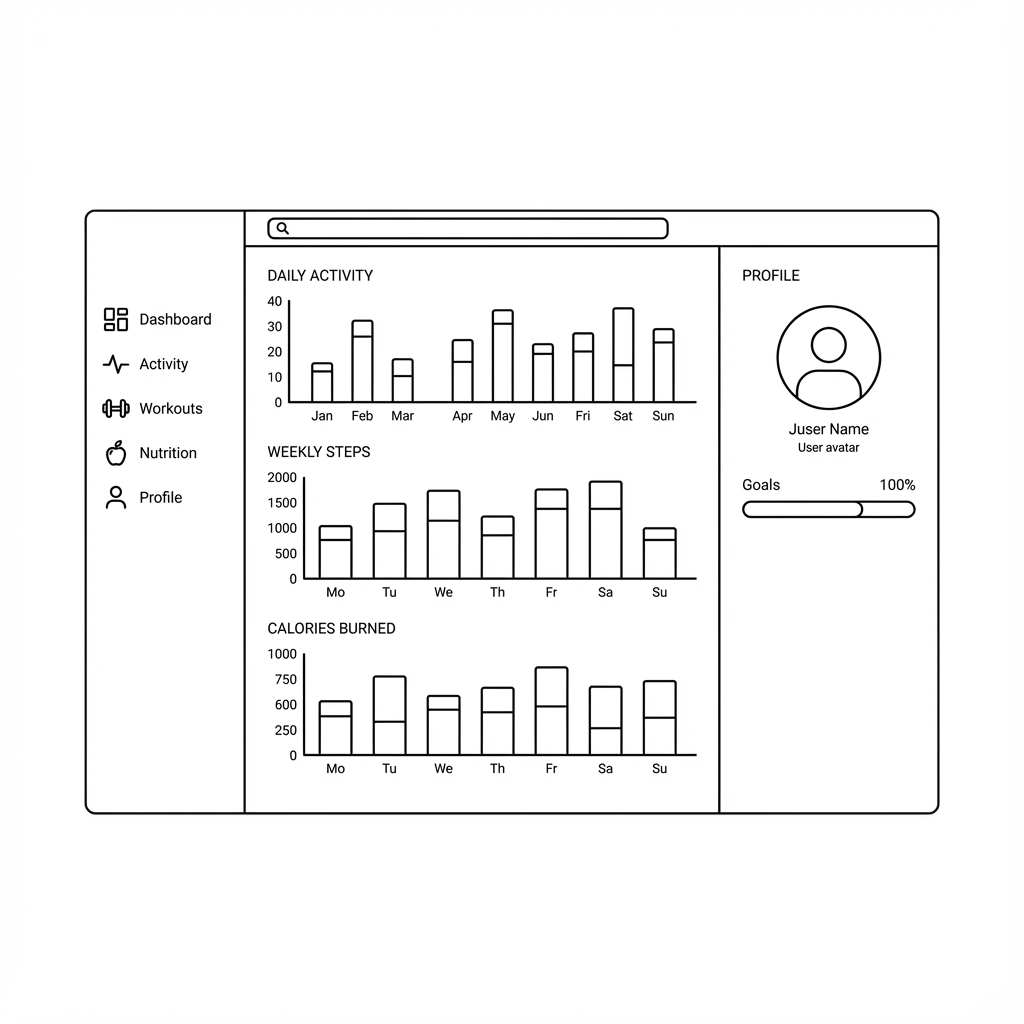
"Build a dashboard for a fitness tracker. Sidebar navigation on the left, a main area with activity charts, profile summary in the corner."
This gives the model constraints to be clever inside. Layout, component splits, styling direction. Vague openings produce generic output, and then you spend five turns fixing what one concrete paragraph would have set correctly.
Refining one change at a time #
Once structure exists, get specific. Models respond to bounded requests the way good contractors do: one clear job, done well.
Weak:
"Make it look better."
Strong:
"Change the charts from line to bar. Make the Calories Burned card deep red. Bump sidebar labels to 16px."
The strong version leaves nothing to guess. "Better" is a mood. "Bar charts, red card, 16px" is a work order. When output still misses, your feedback should match that energy: name the exact delta, not the general disappointment.
Here is a habit worth stealing: one change per message. Bundled requests get partially applied, and then you cannot tell which instruction failed. Singles are debuggable. Doubles are arguments.
Adding logic in user terms #
This is where the approach stops feeling like a trick. Behavior that once meant researching API patterns and debugging state timing now comes from describing the experience:
"When I click Log Workout, open a modal asking for exercise type and duration. On submit, add the workout to the list and update total minutes on the dashboard."
The AI generates the form, the modal state, the data update, the UI refresh. You wrote a paragraph of product thinking. It did the translation into mechanism. Test the result like a skeptic: click through, break it on purpose, watch the edge cases. Trust, but click.
How does the machine know which header you mean? #
Fair question. You say "make the header bigger" and it just knows. How.
The answer is context. Your prompt never travels alone. It arrives with your current files, your project's styling habits, and the conversation so far:
"Header" resolves against actual components in your project. "Bigger" resolves against the current font size. This is why the experience feels like briefing a colleague who joined the project weeks ago rather than dictating to a stranger. Reference the thing by the name your project uses. The model meets you there.
Anthropic's prompting guidance makes the same point from the process side: start with testable success criteria and iterate against them. "The header reads clearly on a phone" is a criterion. "Looks nice" is a wish. Criteria compound. Wishes evaporate.
How do you write better prompts with the Context, Instruction, Artifact pattern? #
When output drifts, reach for three ingredients.
Context sets the scene. Who is this for, under what constraints.
"Act as a senior frontend engineer building for mobile users on slow connections."
Instruction states the job. One job.
"Create a sticky header that collapses as the user scrolls."
Artifact names the deliverable shape. Format, technique, compatibility.
"Use CSS animations for the collapse, and keep it working on Safari."
You rarely need all three. But when results surprise you, the fix is almost always a missing ingredient, usually context. The model was answering a different question than the one in your head because you never wrote your head down.
OpenAI's optimization guidance frames the larger loop this craft sits inside: write evals, engineer prompts, consider training, measure, repeat. Most builders never need the training step. The evals habit, even informal, pays off immediately. Keep a short checklist per feature. Run it after every generation. Watch quality stop being luck.
Try it: AI Website Prompt Builder
Where does the code actually live? #
One anxiety to retire early: generated code is real code. In BYOB's case it is a standard SvelteKit project, and SvelteKit's routing docs show why that matters. Files map to URLs. Server files fetch data. The structure is conventional enough that any web developer can open the project and feel at home.
That convention is doing quiet work for you. The framework, described in its introduction as a way to rapidly build robust, performant web apps, gives the AI fewer ways to be creative in the wrong places. Fewer decisions, fewer errors, more working software. Boring structure, exciting outcomes.
What happens when generations go wrong? #
Every builder meets the same four failure modes. Learn their faces and you fix them in one turn instead of ten.
The generic page appears when the prompt lacked nouns. "Build a landing page for my startup" returns lorem ipsum energy because the model filled blanks with averages. Cure: add specifics. Audience, offer, sections in order, one style word, one example to emulate. Genericity is missing information wearing a mask.
The confident error arrives as working-looking code with a subtle lie: a form posting nowhere, a link to a missing route, dates hardcoded as forever. Cure: click everything, slowly, like a suspicious user. Ask the model to trace the data path out loud: where does this submit go, what renders when the list is empty. Narration exposes gaps that reading misses.
The style drift creeps across iterations. Each tweak nudges colors, spacing, or tone until the page looks designed by committee. Cure: restate constraints periodically. "Keep the existing palette and type scale" belongs in refinement prompts. Better yet, keep a one-paragraph style record in the project and paste it when drift appears.
The loop of polite disagreement happens when you say "make it pop" three times and get three random redesigns. Cure: never prompt a mood. Translate feelings into mechanics before typing. "Pop" becomes "increase headline size, darken the background, add contrast to the button." The translation step is the skill. Do it in your head, not in the chat.
Underneath all four sits one meta-fix from Anthropic's guidance: testable criteria. Write down what good means before generating. Run the checklist after. Criteria turn debugging from vibes into procedure.
How do you go from first page to real project? #
Single pages teach prompting. Real projects teach architecture, and the jump is smaller than it looks.
Grow by linking before embellishing. A second page with working navigation beats a perfect single page every time. Then a third. Navigation exposes structural decisions early, when they are cheap: naming, hierarchy, shared layout. Polish applied to a broken structure is expensive paint on a tilted house.
Add one dynamic feature at a time. A contact form first, with real submission handling. Then a list fed by data. Then search or filtering. Each feature exercises the full loop: describe behavior, review generation, test edges, keep the checklist. Small vertical slices beat horizontal layers. Working thin beats broken thick.
Invite a second human early. Fresh eyes catch what familiarity hides: confusing labels, dead ends, mobile breakage. Watch them use it without narrating. Silence your urge to explain. Every explanation you want to give is a defect to fix.
Then deploy before you feel ready. A live link changes your psychology: real URL, real stakes, real feedback from people who owe you no kindness. Preview environments comfort. Production teaches.
What are the trade-offs? #
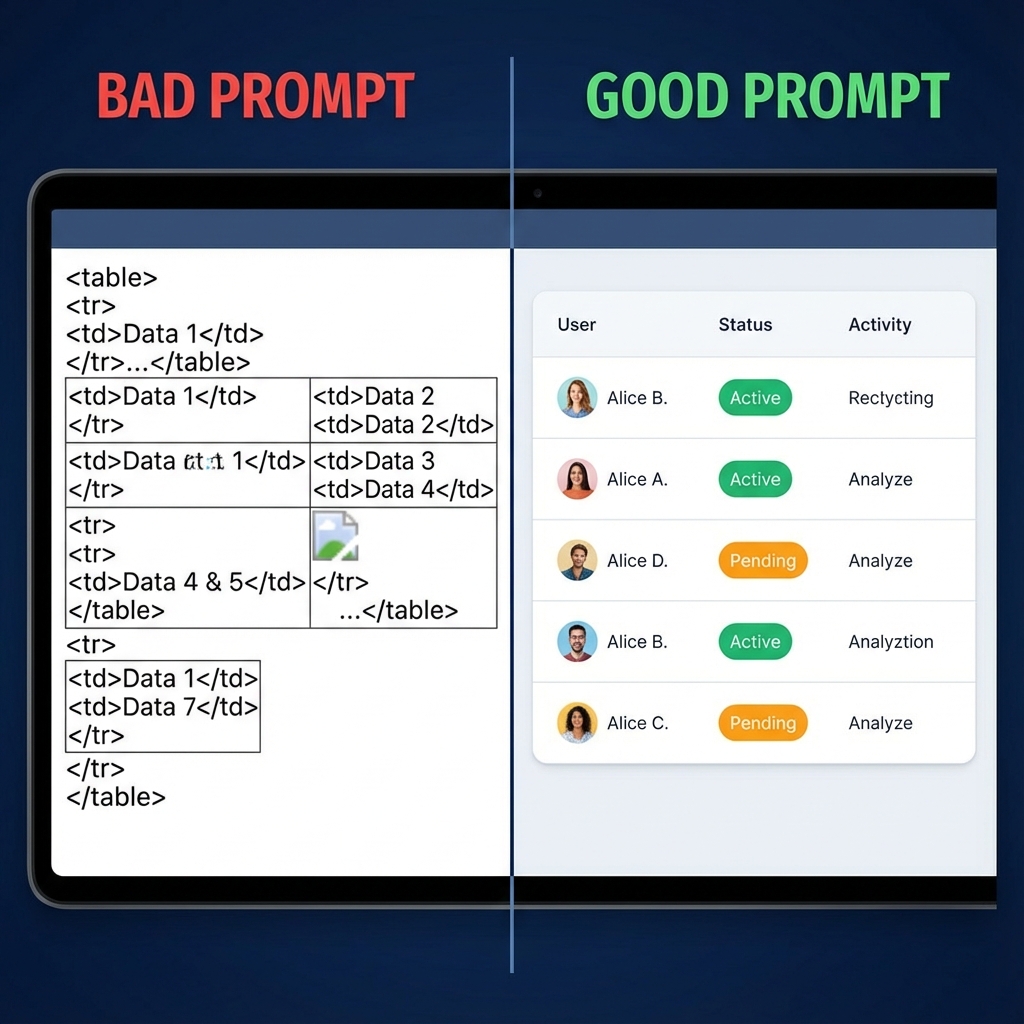
Declarative building with a tight loop: prompt, review, iterate, with context, instruction, and artifact in each ask.
| Where AI building wins | Where it loses |
|---|---|
| Standard pages and flows from plain words in an afternoon | Vague prompts return average output that needs two more passes |
| Context plus live preview locates the header or card you mean | Architecture, data rules, and auth still need deliberate design |
| Iteration by conversation instead of syntax | Single giant prompts force too many decisions at once and interact badly |
Pick hand code when custom systems and strict guarantees dominate. Pick the loop when speed of draft plus review beats typing every bracket.
What we learned building this #
Our build loop lives in the chat UI with context that includes the current file tree plus project style plus recent chat. Prompts that name context, instruction, and artifact win because the model can locate the header or card you mean and write the change precisely. The guide mirrors how we teach new builders: start with structure, one bounded change per message, then add behavior in user terms.
Who this is for (and who should skip it) #
This fits new builders who learn by prompting and want a tight loop from idea to live preview. If you prefer small bounded requests and live review this guide shortens the first week.
Skip if you expect perfect output from one long prompt. The loop rewards structure first then one change at a time not grand single shot instructions.
One limit to know. One long prompt rarely lands a full project without follow up fixes. A common mistake is adding new features before the preview builds clean, which buries the original error under more changes.
- Best for beginners writing first prompts and learning the prompt, review, and iterate loop.
- Best for developers shifting from manual coding to prompt-led building habits.
- Best for freelancers speeding up client drafts with structured and bounded prompts.
Learning by doing, with a plan #
Reading about prompting has rapidly diminishing returns. Building has compounding ones.
Start small and real. A portfolio. A launch page. A tool that scratches your own itch. Describe it, react to the draft, iterate until it is right. Your first prompts will wobble between too vague and too fussy. That wobble is the learning. Within a few hours you develop a feel for chunking big asks into clean steps, and that feel is the durable skill. Syntax expires. Judgment accrues.
A concrete first week: day one, ship an ugly personal page. Day two, add one interactive feature and break it twice. Day three, rebuild it from scratch in half the time using what you learned. Day four, teach a friend the loop in thirty minutes; teaching exposes every gap in your own understanding. By day five you will prompt like someone who has done it for months, because in iteration count, you have.
The machine handles the typing now. Your job is knowing what to ask for and recognizing good when it appears. That was always the important half. It just used to come with a syntax exam attached.