Start a new project in BYOB ->
From build to domain: the whole path, no folklore #
Shipping a site means walking a fixed path: build it, save your place, publish it, prove it works live, attach your name to it, test the scary parts, then do it again next week. Teams that treat this as a checklist ship calmly. Teams that treat it as vibes ship at midnight.
Think of the flow as a relay race with six legs. Each runner hands off cleanly or the team loses. This guide walks every leg the way BYOB runs it in 2026, with the DNS and certificate mechanics explained instead of waved at.
| Stage | Output | Check before next |
|---|---|---|
| Build milestones | Structure plus visual plus forms | Each milestone saved |
| Checkpoints | Labeled snapshots | Restore tested |
| Publish | Live URL on edge | Speed checked live |
| Domain | CNAME plus TXT proof | Routing and SSL active |
| Tests | Feature plus full site | Critical path green |
| Cadence | Weekly publish and test | Rollback ready |
How do you build with milestone boundaries? #
Huge single prompts that attempt everything at once produce tangled output nobody can review. Break the build into three milestones with visible seams.
Milestone A covers structure and route map: pages, URLs, navigation, the skeleton that everything hangs on. Milestone B covers the visual system and responsive pass: theme, type, spacing, the phone layout that most visitors will actually see. Milestone C covers forms, data integration, and edge flows: the interactive parts where real user input meets real logic.
Save after each milestone. The seams let you review one concern at a time and revert one concern at a time. Compound builds produce compound confusion.
Stage 2: version checkpoints as safety net #
Checkpoints are the save points of the release game. Save before broad refactors, before model switches, and before final publish. Label each one with what changed and why, in words your future tired self will understand at midnight.
Good labels read like "pricing table restyle, pre-domain." Bad labels read like "final v2." The difference shows up exactly once, during an incident, and decides whether rollback takes seconds or an archaeological dig. Discipline here is cheap. Regret here is expensive.
Why publish early to test real behavior? #
Preview is necessary and insufficient. It runs your development build on your machine, which hides exactly the things users will hit. Publish early and treat the first deploy as a validation gate, not a marketing launch.
The live URL exposes production asset behavior: compressed images, minified bundles, fonts that swap differently than they did locally. It exposes route and metadata behavior: titles, descriptions, and social cards as crawlers actually see them. And it exposes real device rendering: your phone on a real connection, not your laptop on office wifi.
Google starter guidance keeps the content side of this check boring in the best way: descriptive titles, crawlable text, proper headings, pages written for visitors first (https://developers.google.com/search/docs/fundamentals/seo-starter-guide). Verify those on the live URL, not in the editor. What the crawler sees is the only thing that counts.
Measure speed on the live URL too. PageSpeed Insights blends lab simulation with real Chrome user data, rating LCP good at or under 2.5 seconds and Lighthouse category scores good at 90 plus (https://developers.google.com/speed/docs/insights/v5/about). Run it against the fresh deploy. Fix the hero image before touching anything else if it drags.
Stage 4: custom domain activation #
A custom domain turns a project into a property. The mechanics are DNS plus proof plus certificates, in that order.
Routing: point the name at BYOB #
Create a CNAME record at your DNS provider pointing the hostname at the BYOB target. For subdomain setups where Cloudflare proxies traffic, that means records pointing at the designated CDN hostname, one per proxied hostname (https://developers.cloudflare.com/dns/zone-setups/partial-setup/setup/). The apex, the bare domain without www, cannot take a plain CNAME, so it needs flattening support or direct records depending on your provider. Subdomains first, apex second, always.
Ownership: prove the domain is yours #
Add the verification TXT record at your authoritative DNS provider. Cloudflare checks it and confirms by email, a process that can take up to a few hours (https://developers.cloudflare.com/dns/zone-setups/partial-setup/setup/). Keep the record in place. It is the standing proof of ownership, not a one-time handshake.
SSL: wait for the lock, then celebrate #
Cloudflare issues free publicly trusted Universal SSL certificates to activated domains by default. On full DNS setups the certificate should arrive automatically within 15 minutes to 24 hours of activation, covering the apex and first level subdomains (https://developers.cloudflare.com/ssl/edge-certificates/universal-ssl/enable-universal-ssl/). On partial setups, certificates provision once records proxy through Cloudflare, with domain control validation records completing immediately or after a brief window.
The domain is done only when routing and SSL are both active. Check the Edge Certificates status page or query the API rather than guessing from a browser padlock on your own machine, which caches generously and lies kindly. If the site must stay live during migration, keep records unproxied until the certificate shows active, then flip. Cloudflare documents exactly this ordering for downtime sensitive domains (https://developers.cloudflare.com/ssl/edge-certificates/universal-ssl/enable-universal-ssl/).
Staying on the BYOB subdomain is a legitimate choice, by the way. Early validation needs speed, not branding. Upgrade to the custom domain when the project earns a name worth owning.
Stage 5: pre-release testing #
Test in two passes, because one pass lies by omission.
Feature based tests cover the highest risk user flows: signup, checkout, booking, contact forms. Whatever the site exists to do, test that first and hardest. Full-site tests cover broad release confidence: dead links, broken images, layout on small screens, console errors nobody noticed.
Repeat the critical pass after domain activation. Domains change URLs, redirects, canonical tags, and sometimes asset paths. A suite that went green on the subdomain has not blessed the domain. Re-run, re-confirm, then announce.
Stage 6: optional showcase and distribution #
Public listing is a strategy choice, not a graduation requirement. List when the quality bar holds and a growth objective needs the traffic. Until then, private links to the right ten people teach more than a directory slot teaches anyone.
Capture emails from the first wave. Unbounce measured email as the highest converting channel at 19.3 percent on average across landing pages (https://unbounce.com/conversion-benchmark-report/). A launch that collects addresses compounds. A launch that only collects visits evaporates.
What does the weekly operating cadence look like? #
Releases stay calm on rhythm. A practical team cadence: Monday to Wednesday for build and checkpoints, Thursday for publish and test, Friday for domain checks, final polish, and distribution updates. Small frequent publishes beat rare large drops, because small drops break small things and roll back in seconds.
Consistency beats heroics in release operations. The team that ships every Thursday learns faster than the team that ships heroically once a quarter and spends the weekend fixing it.
What are the common breakdown points? #
Three failures cause most launch pain, all avoidable.
No checkpoint before risky edits means slow rollback and release delay. The fix is a habit, not a tool: save labeled snapshots before anything ambitious.
Domain configured too late means launch blocked by DNS timing. Certificates need their window, TXT records need propagation, and none of it hurries for announcements. Configure domains days before you need them, not hours.
No focused testing on the critical flow means a broad pass looks green while the key path fails. The homepage loads, the blog renders, and checkout silently errors. Test the money path first, every time.
What is the rollback playbook for release incidents? #
When a published build breaks, run the sequence without improvisation. Identify the last known good snapshot. Restore it. Redeploy immediately. Open a separate fix session away from the live line. Patch and retest there before the next promote.
This keeps uptime stable while root cause work continues in parallel. Users see the working version. Engineers see the broken one. Nobody watches anyone debug in production.
Handoffs between owners stay short and structured: current live URL and domain status, last deploy timestamp, last passing test report IDs, known risks not yet addressed. Four lines prevent most cross functional confusion.
What are the trade-offs? #
The post recommends milestones with checkpoints, early publish to a live URL, CNAME plus TXT domain activation with SSL confirmed active, focused plus full site testing, and a weekly cadence. That follows the Cloudflare Universal SSL window of 15 minutes to 24 hours, partial DNS setup, PageSpeed checks, and Unbounce benchmarks cited above.
| Where the recommended path wins | Where it loses |
|---|---|
| Early publish catches production only asset and routing bugs | Drafts are public sooner, so half done pages need access control |
| Checkpoints give a labeled rollback point before each risky step | Milestone discipline adds planning overhead to small edits |
| SSL confirmed active before launch avoids day one certificate surprises | DNS propagation still forces a wait no prompt can shorten |
Pick staying on the BYOB subdomain when the project is still validating, brand can wait, and every hour should go to content rather than DNS.
What we learned building this #
Every publish in BYOB writes a snapshot you can roll back, and the live URL is the only crawler truth, so we validate titles and cards there. DNS for custom domains uses a CNAME to the BYOB target plus a TXT proof, with SSL that turns active after propagation, flows surfaced in the custom-domain dialog. We keep the deploy checklist at https://byob.studio/tools/deploy-checklist verified 200 open during launch week to avoid record mistakes.
Who this is for (and who should skip it) #
This guide helps if you want a calm path from blank project to live domain with checkpoints and repeatable tests.
If you are still validating an idea on the BYOB subdomain with no custom name yet, stay there and skip domain steps until the name is worth owning.
- Best for beginners moving a first project from draft to live domain.
- Best for freelancers repeating a calm publish checklist across clients.
- Best for startups pairing early previews with domain launch steps.
What is in the release readiness checklist? #
Try it: Website launch checklist
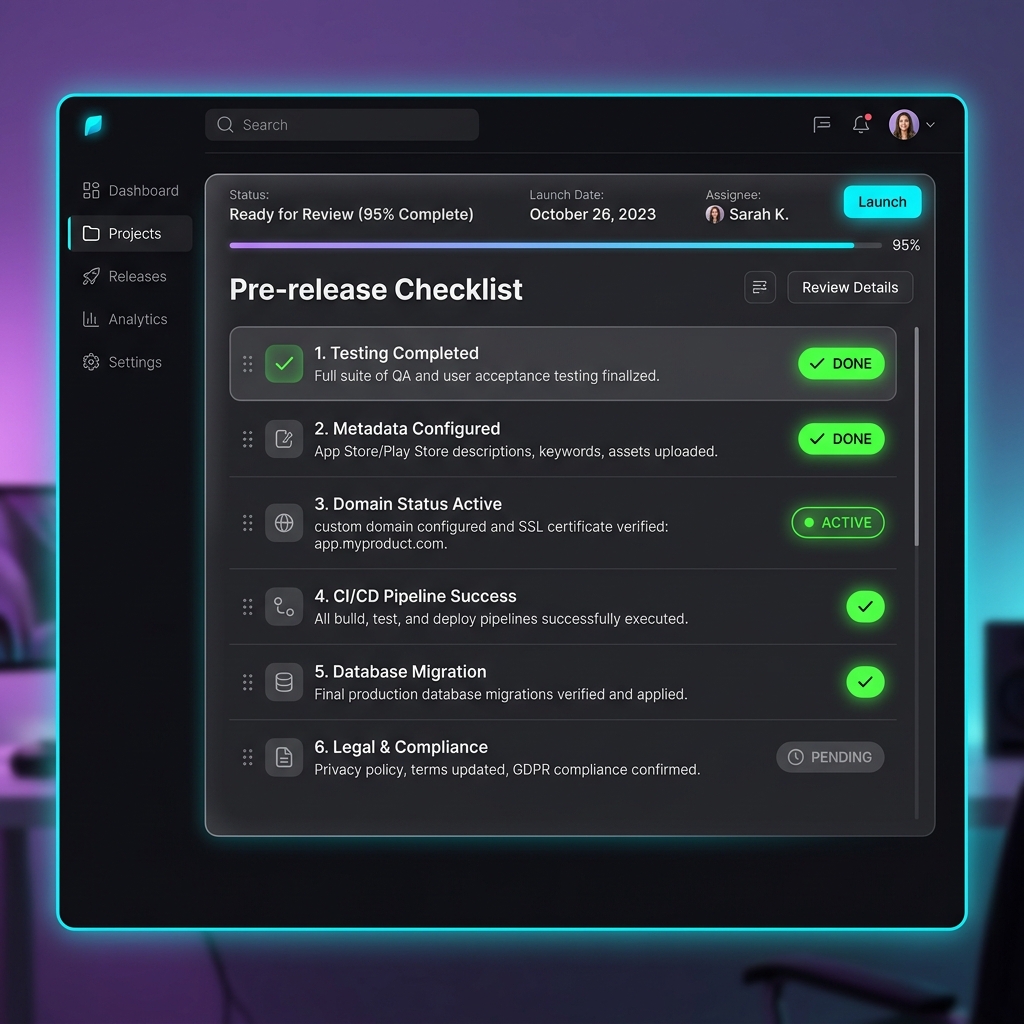
Run this list before any announcement goes out. Live URL passes core path tests. Domain and SSL both active and verified. Meta title and description confirmed on the live pages. Analytics and tracking firing. Contact and conversion actions tested end to end. Rollback snapshot labeled and available.
Six checks, ten minutes, zero midnight surprises. Ship it, then start Monday build with a clean board.