Start a new BYOB chat session ->
Model lock per chat session: why BYOB prevents mid-session drift #
A road trip gets one driver at a time. Two drivers trading the wheel mid-highway, each with their own sense of speed and following distance, does not average into a smooth ride. It produces a swerving car and two nervous passengers. BYOB applies the same logic to AI models: one model per active chat session. Any supported model remains available, but changing models means starting a new session.
This is a consistency guardrail built for production workflows, and byob.studio states it plainly in the FAQ: one model per session keeps output consistent, and a new session is the path to a different model.
TLDR #
- One model per session keeps reasoning behavior stable.
- Mid-session model changes increase inconsistency risk.
- Start a new session when you intentionally want another model.
- Save snapshot before switching model path.
Why mixed-model sessions can fail #
Different models carry different assumptions about planning depth, coding style, and instruction interpretation. Those differences are documented, not vibes. OpenAI's model catalog separates flagship reasoning models from cost-optimized ones with different context windows, output limits, and price points per million tokens. A model tuned for deep reasoning attacks a refactor differently than one tuned for cheap high-volume drafting. Same prompt, different instincts.
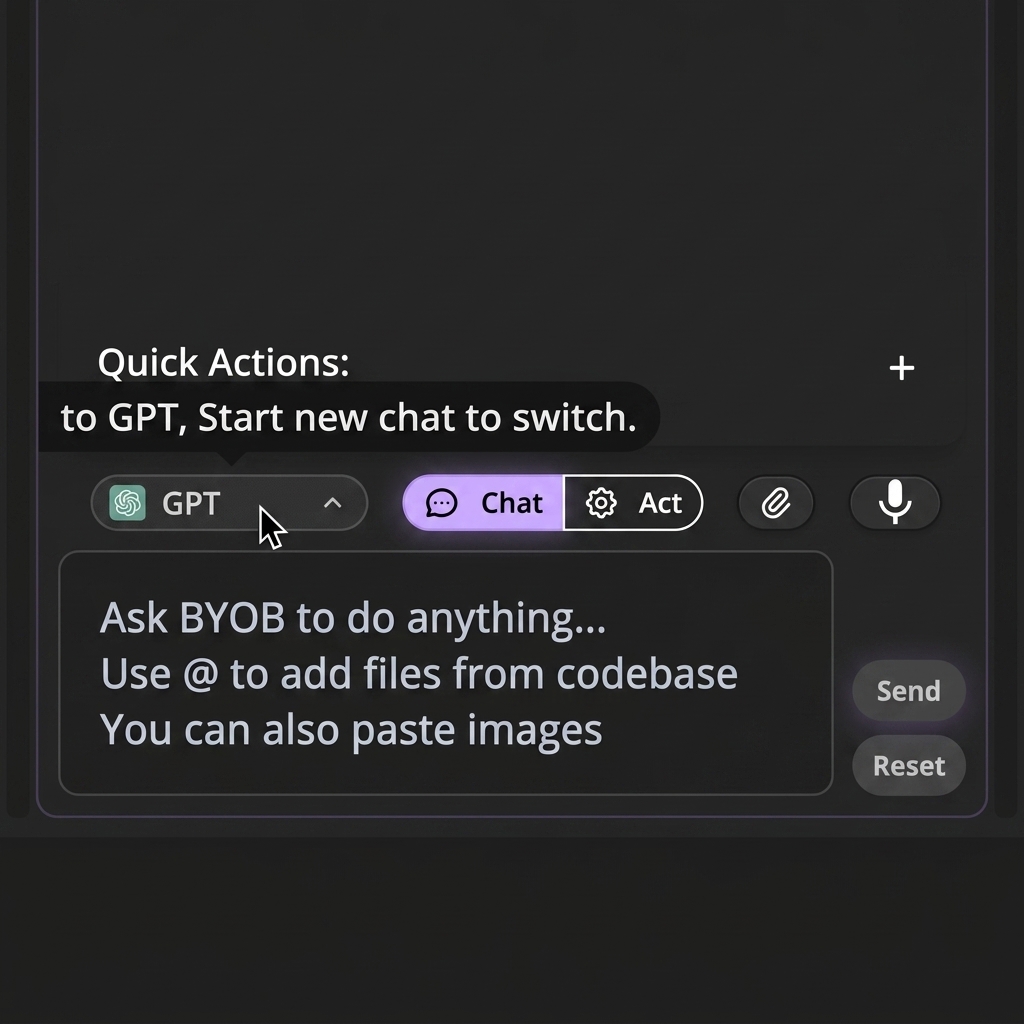
Swap models inside one long thread and those instincts collide:
Context makes the collision worse. As Anthropic documents in their context window guide, everything prior, instructions, tool results, earlier outputs, shapes the next reply. A new model inherits a history written in another model's dialect, then continues in its own. The seam shows in contradictory patches and re-decided decisions.
What changes when model lock is on? #
Your active thread keeps one behavioral profile from start to finish. The model picker stays visible so you always know who is driving. Switching intent routes into start-new-session behavior instead of a silent mid-thread swap.
Freedom of model choice survives fully. Consistency of thread execution gets protected. That is the whole tradeoff, and it favors anyone who has ever stared at a diff wondering which mind produced it.
What workflow benefit does model lock give you? #
Model lock pays off in long feature runs where continuity matters most. Patch sets stop contradicting each other across turns. Activity timelines stay readable. When something fails, attribution stays clear instead of dissolving into "which model changed this assumption."
Short sessions barely notice the lock. Long builds feel it as stability, the quiet kind you only appreciate after experiencing the alternative.
Safe model comparison workflow #
Want an A/B comparison anyway? Do it cleanly.
- Save snapshot in current session.
- Start new session with alternate model.
- Reuse same scoped prompt.
- Compare output diff and runtime behavior.
- Keep stronger result and continue.
Compare models on a stable checkpoint, not a moving branch of uncommitted edits.
Same starting line, same prompt, two separate tracks. The snapshot makes the experiment reproducible instead of anecdotal. Rerun it next month when models update and watch the leaderboard move.
Try it: AI website prompt builder
Model lock and context tracking together #
Lock and context hygiene form a pair. Lock keeps behavioral consistency, the same driver the whole trip. Context tracking keeps memory quality, the windshield clean enough to see the road. Anthropic's context engineering guide frames both halves as curation: choose what enters the window carefully, and keep the reasoning conditions stable while work proceeds. BYOB simply enforces the parts humans forget under deadline.
Combined, they cut long-thread instability without limiting creativity. You can still use every model and run marathon sessions. The guardrails only forbid the combinations that produce mush.
The table below names the drift pattern, the damage, and the safer path.
| Situation | What changes without lock | Safer path |
|---|---|---|
| Planning depth | One model plans deep, the next writes shallow patches | Finish the thread, then open a fresh session |
| Code style | Naming and structure shift between replies | Keep one voice per session |
| Instruction reading | The same prompt is read two ways | Rerun the same scoped prompt in a new session |
| Long builds | Early context is honored, then quietly dropped | Save a snapshot before you switch |
| Comparisons | Side by side edits contradict each other | Test each model from one checkpoint |
Typical drift scenarios model lock prevents #
Scenario 1: design language reset mid-session #
A session starts with one model and a clear design pattern. Another model selected midway brings different spacing, hierarchy, and composition instincts. The result reads as two products stitched together, and no single prompt caused it.
Scenario 2: architecture advice conflict #
One model proposes a route-level fix, another proposes a shared-component fix for the same issue. Each valid alone, contradictory together, and the thread accumulates edit chains that fight each other across turns.
Scenario 3: refactor intent mismatch #
A large refactor prompt gets interpreted differently by two models. Mixed behavior touches unrelated files and inflates rollback complexity. The snapshot saves you, but the afternoon is gone.
What team policy works well with model lock? #
For multi-person projects, define a simple model policy.
- Pick preferred model by work type.
- Keep one session per major feature stream.
- Save snapshots before opening alternate model session.
- Compare results through diffs, not memory.
Written policy beats hallway consensus. New teammates inherit good defaults instead of discovering drift the hard way.
Operational checklist before switching models #
- save current checkpoint
- summarize current constraints in one paragraph
- open fresh session
- paste summary and next objective
- run one small validation prompt before large requests
The validation prompt is the underrated step. One tiny ask confirms the new session understood the handoff before you trust it with the refactor. Cheap insurance, always worth it.
What we learned building this #
Each chat session holds one model choice at a time. Context tracking and compaction assume that single voice, so a mid-thread switch would poison the history the next reply reads. New sessions start from a saved snapshot, which keeps comparisons honest.
Who this is for (and who should skip it) #
This guide helps builders on long projects who care about consistent output across many turns. If you iterate for days in one thread and compare models deliberately, the lock plus snapshot habit protects your momentum.
Skip it if your sessions are short and throwaway, like a single landing page in one sitting. You will barely notice the lock, and the comparison workflow only matters once builds get long.
- Best for developers iterating for days in one long chat thread.
- Best for small teams keeping design language steady across turns.
- Best for freelancers comparing models without mixing mid session output.
FAQ #
Can I disable model lock? #
Session lock is intentional product behavior for consistency. Work with it through fresh sessions rather than around it.
Does lock apply across all sessions? #
No. It applies per session. A new session can use another model freely.
Is this only for advanced users? #
No. Beginners benefit most because behavior stays predictable while they are still learning what good output looks like.
If model is locked, how do I test another one quickly? #
Create a new session from the same project checkpoint and rerun a scoped prompt. Same start, clean comparison.
Create a clean new session for model switch ->
One driver per trip. Your diffs will read like they came from a single mind, because they did.